When two different color stations on a bizhub color MFP fail in two completely different ways at the same time, it’s tempting to treat them as two separate repairs. This case study covers a real ticket on a bizhub Color Series 8 unit (the C258/C308/C368/C458/C558/C658 platform) where a dead Black station and a ghosted, doubled Cyan image turned out to share a single root cause — and explains the diagnostic logic that connected the two before any parts were replaced.
| Platform | bizhub Color Series 8 (C258/C308/C368/C458/C558/C658 family) |
| Symptom | Black station producing no output at all, combined with a faint doubled/ghosted image in Cyan |
| Root Cause | Loose/partially seated laser unit interconnect cable |
| Fix | Disconnected and firmly reseated the laser unit’s plate/laser cable |
| Result | Both faults cleared simultaneously, confirmed on reprint |
The Complaint
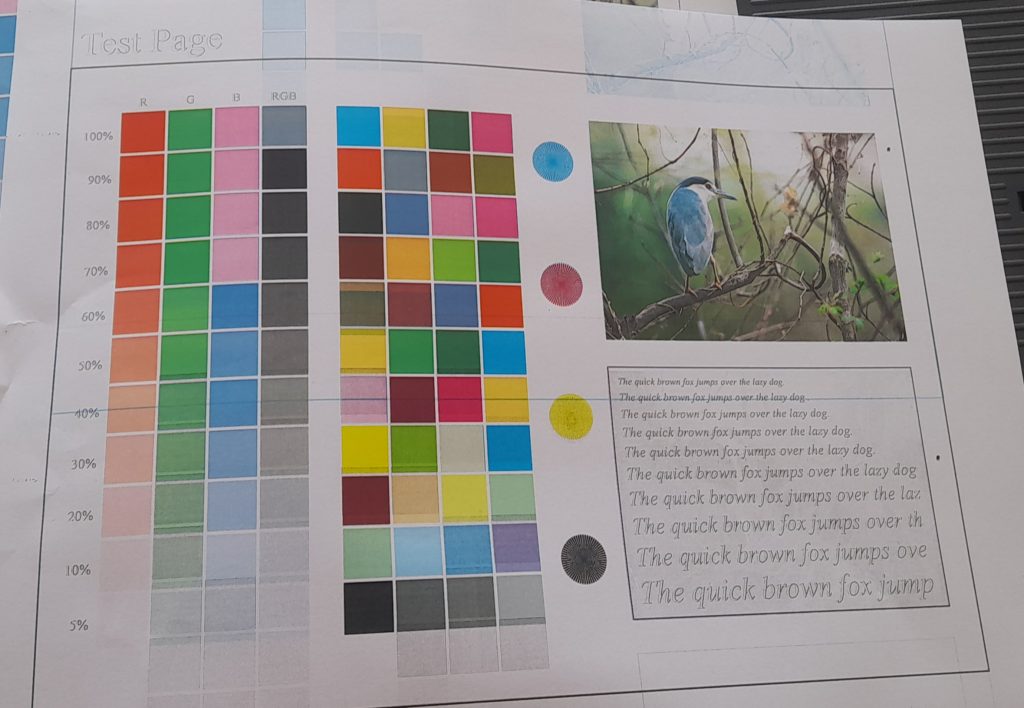
This one was confusing before it was anything else. A full test page came back with two different-looking problems at once: the Black station wasn’t printing at all, and the Cyan station was laying down a faint, offset second copy of the image on top of the real one — a ghost. Two different colors, two different symptoms, on the same sheet.
Why Two Different Faults on Two Different Colors Changes the Diagnosis
The instinct on a ticket like this is to treat it as two separate repairs — a dead K station and a faulty Cyan imaging or transfer path. But drum, developing unit, and transfer faults are mechanical and local to one station. They don’t reach over and affect an unrelated color at the same time. A shared electrical path can. That distinction is what shaped the whole diagnosis here.
On this engine family, the laser scanning unit sends its exposure signal to each color’s laser diode through a shared interconnect cable running to the main control/print engine board. A connector that’s partially backed out, or a pin making intermittent contact, can knock out signal to one color’s laser diode entirely — no output, which explains the dead Black station — while a neighboring channel on the same connector receives a corrupted or double-latched signal, which is a textbook way to get a doubled, ghosted image in a different color. One shared cause, two different-looking symptoms.
Diagnostic Process
Before touching the laser unit, the Black toner cartridge and imaging unit were reseated and swapped to confirm the K station itself was mechanically sound and simply wasn’t receiving signal or power — it was. That ruled out a dead imaging unit as the explanation for the missing Black output.
With the mechanical side of both stations cleared, attention moved to the laser unit interconnect cable. The machine was powered down, the LSU accessed per the service manual procedure, and the plate/laser cable connector inspected. It wasn’t fully seated.
The Fix
The cable was disconnected completely and reinserted firmly and squarely into its connector. A cable that looks seated but isn’t fully latched is a common way to get exactly this kind of dual-symptom fault, and it’s an easy thing to miss on a quick visual check.
Result
A full color test page after the reseat showed Black printing normally and no trace of the Cyan ghost. Both faults cleared together, which confirmed the shared-cause diagnosis rather than two coincidental, unrelated failures.
Takeaway
When two different color stations fail in two different ways at the same time, that combination is itself a diagnostic clue — it points toward a shared electrical path rather than two independent mechanical problems. Checking the laser interconnect cable before opening up two separate imaging units saved a return visit and a set of parts that were never actually at fault.
Refer to service manual for the exact LSU access and cable routing for the specific bizhub Series 8 model on the bench, since connector layout and cable part numbers differ slightly across the C258/C308/C368/C458/C558/C658 range.